From Assisted to Orchestrated AI Development using Maestro
My experience with Maestro, an AI agent orchestration tool. By combining spec-driven Auto Runs with a feedback loop, it transforms the developer role from writing code to managing features.

Note: This article was published in the Dutch Java Magazine in September 2026
If you read this magazine, it most likely means that you're already using AI every day to assist you in your development. Depending on where you work and your taste, it could be Claude Code, GitHub Copilot, Cursor or any of the millions of other options.
For me, the workflow has been like this: Start using the Junie features from within IntelliJ IDEA. Things like "explain issue" or "generate unit tests". As models grew better, I moved into my terminal and started asking Claude Code to do tasks for me. Using this method, and given you have a high enough plan you can start building multiple of those features at once. Maybe you start using 'plan mode' to create specs so that Claude sticks to what you want to build. You basically spend most of your day in a terminal, and not in your IDE any more.
The thing is, it still feels clunky. You constantly have to switch contexts, and you lose sight of which terminal is doing what. Is this really what the future looks like? Doesn't look like an upgrade to me. That is until I discovered Maestro (Note that many alternatives to Maestro exist, like Conductor or even the GitHub app. They pretty much do the same thing).
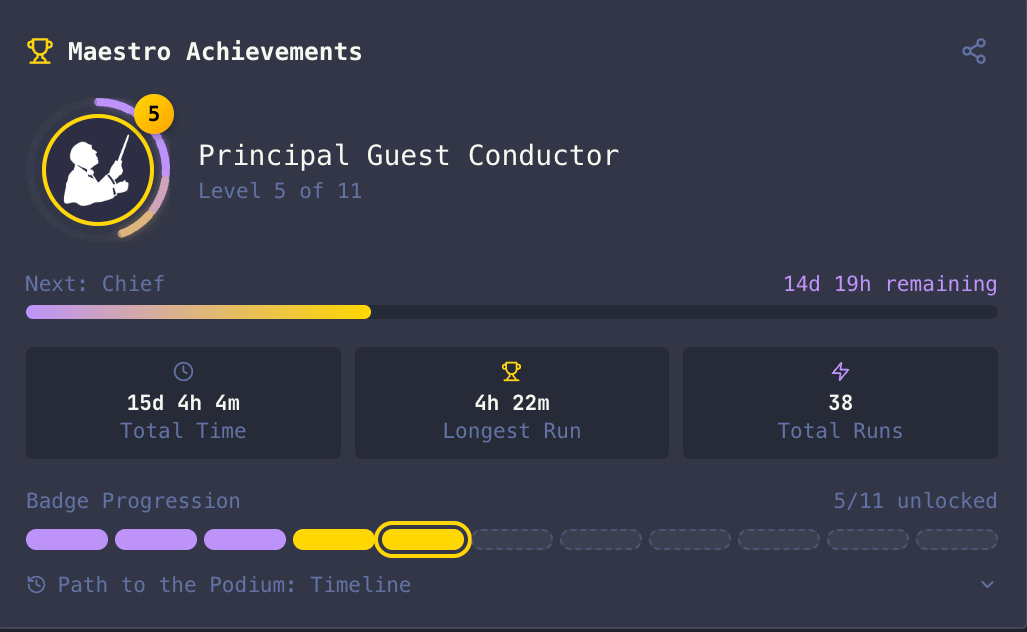
Maestro describes itself as an "Agent Orchestration Command Center". From its own website, Maestro's goal is to let you run agents for minutes hours days. It even has a gamification feature deeply embedded into its core that rewards you for letting agents run autonomously. I'm not at the 'days' level just yet (my wallet is too thin!), but I'm also only using it privately 😬 as you can see in this picture.
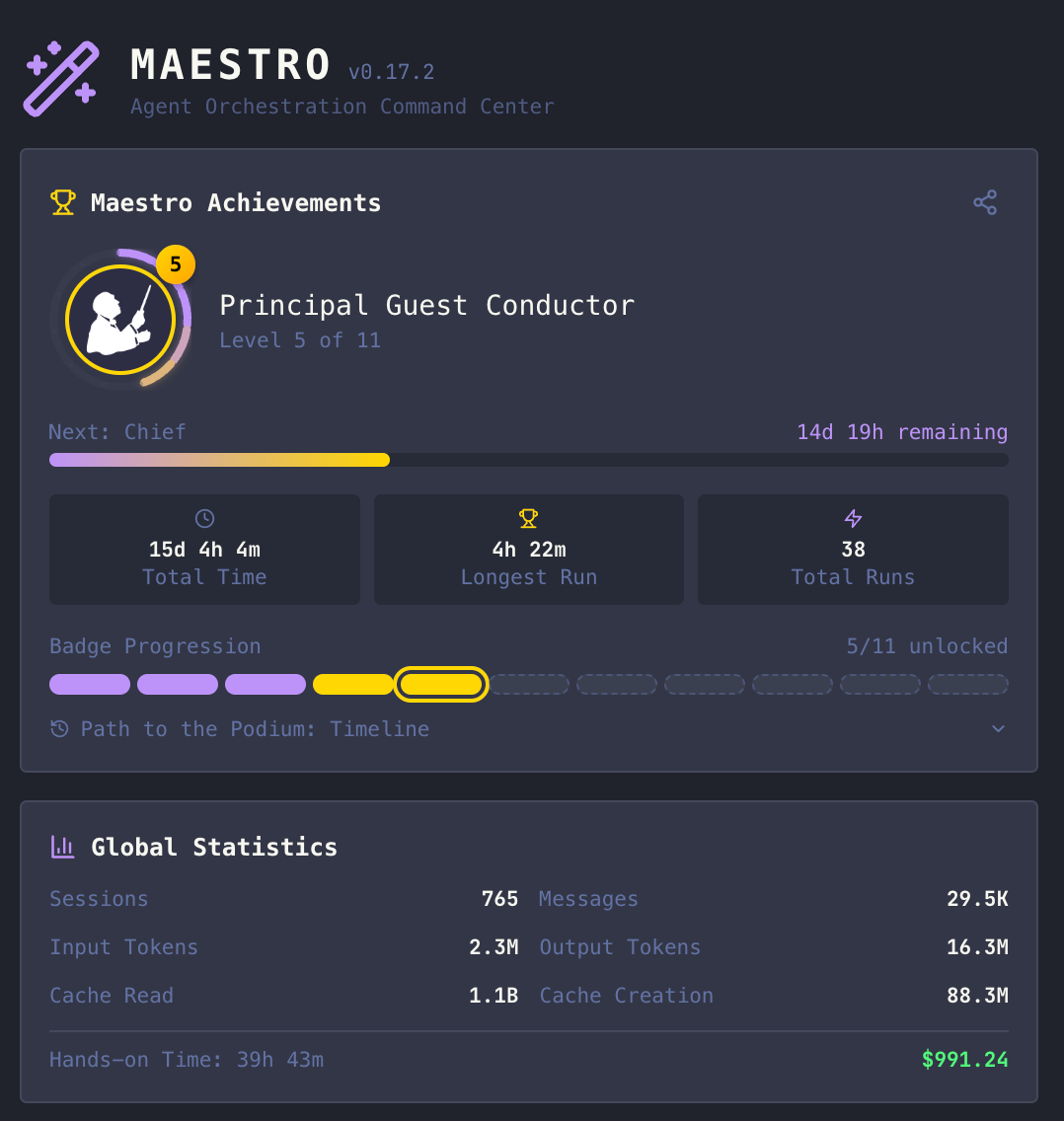
Note: Keep in mind that at its core, Maestro is nothing more than a harness around [insert your agent of choice]. Whenever I say "Maestro does X" in this article, what I'm actually saying is "Maestro told Claude Code to do this".
Note 2: Maestro runs all of its agents in 'yolo mode'. So if you follow the steps in this article, be careful with what you're doing 😇.
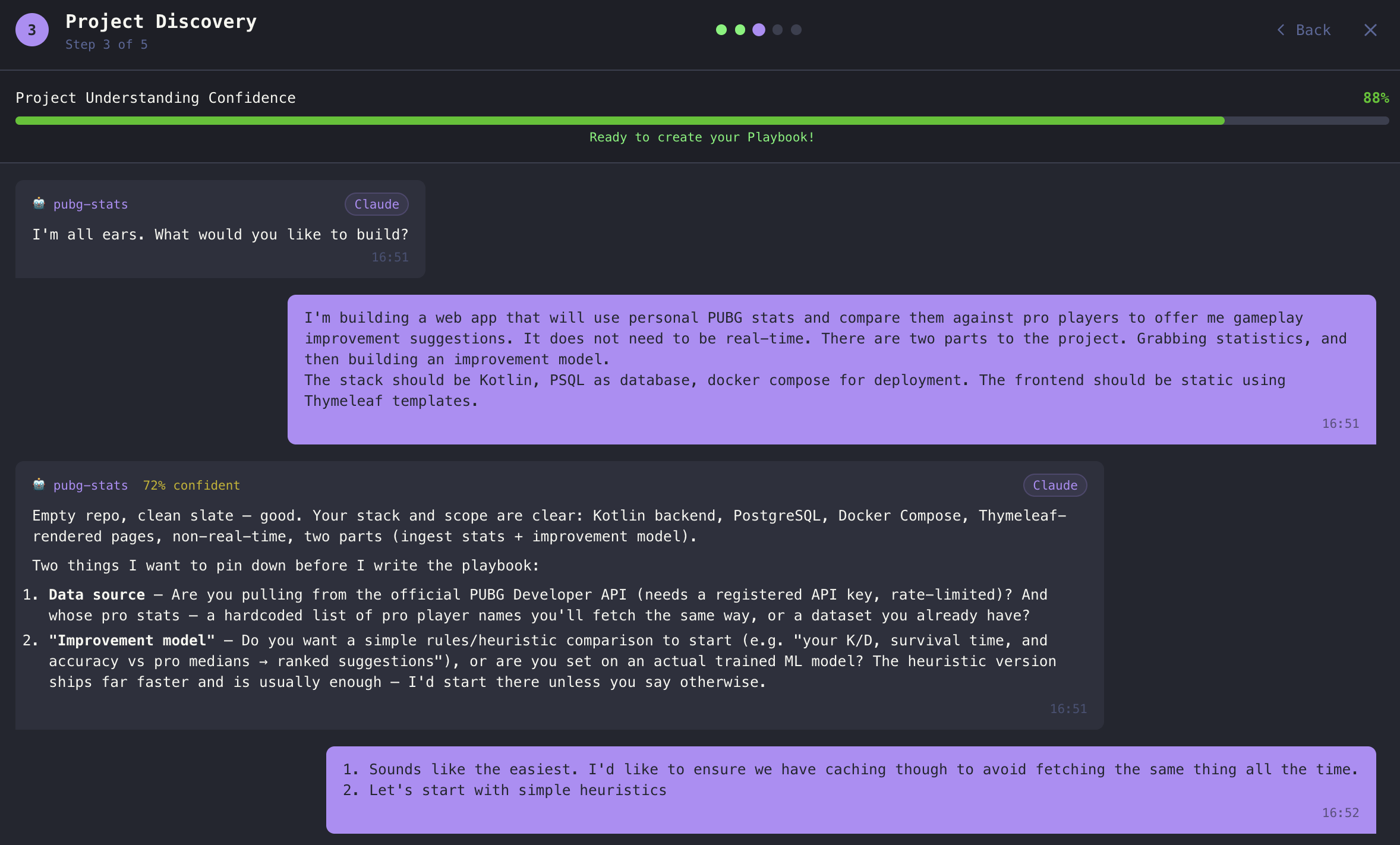
When installing Maestro, the first thing you do is hooking up a project and an agent. Let's say for example that I want to create a small project that will grab my PUBG (an online Battle Royale game) statistics, and compare it to the one from pros to see where I can improve. Maestro might ask you some complementary questions, at which point it will initialise your project and create your first Auto Run folder. The main interface of Maestro will look something like this.
Auto Run: (SDD) Spec Driven Development for humans
For me, the killer feature that convinced me of Maestro is the workflow it has built around Auto Runs. Let's dive into it!
Basically, Auto Run files are nothing else than Markdown files filled with TODO lists. They're essentially specifications. Maestro will typically create a set of files in a set of logical implementation steps. In that case it created 4. Scaffolding, Stats ingestion and caching, Coaching model and hardening. You can find all those files directly on GitHub but here's an excerpt of the API Ingestion one.
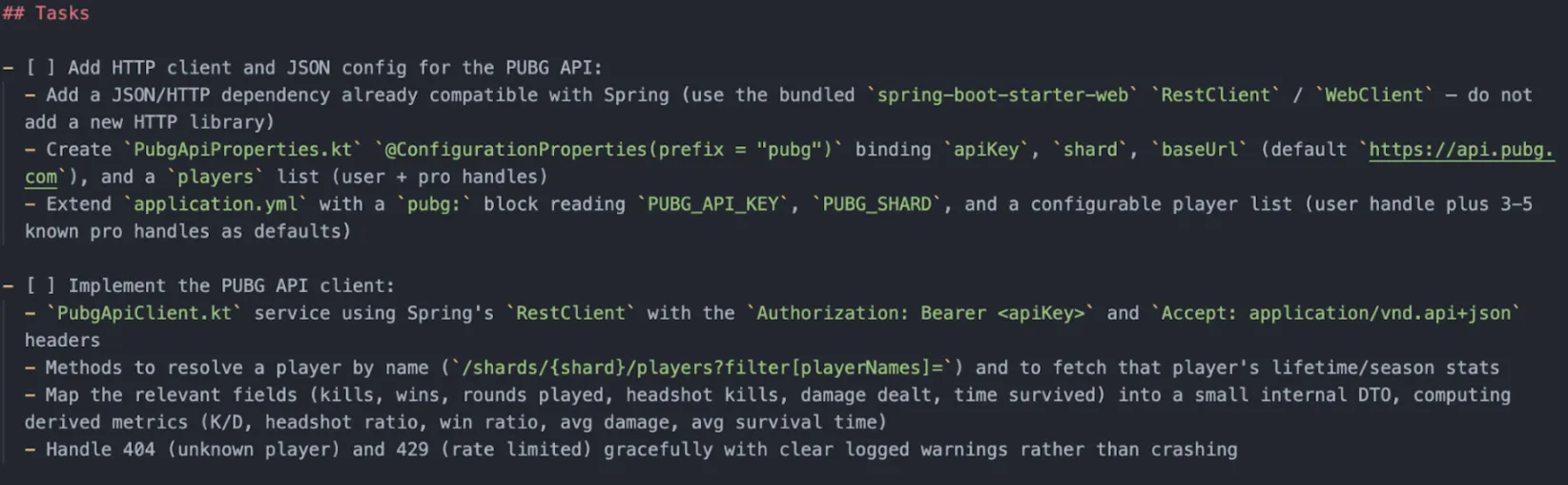
As you can see, it's very close to what SDD frameworks will generate, though maybe on the lighter side. For the complete project as I described it, Maestro generated a total of 23 tasks. What we can do now is run those and see what happens. By default, Maestro will do a few very interesting things for us right out of the bat: It creates a new Git worktree for the feature. It also makes sure that every single item of the TODO list runs in its own context window to avoid context pollution over time. It will create commits, document itself, and even create a GitHub pull request for us when it's done. You can see an example of an auto run here.
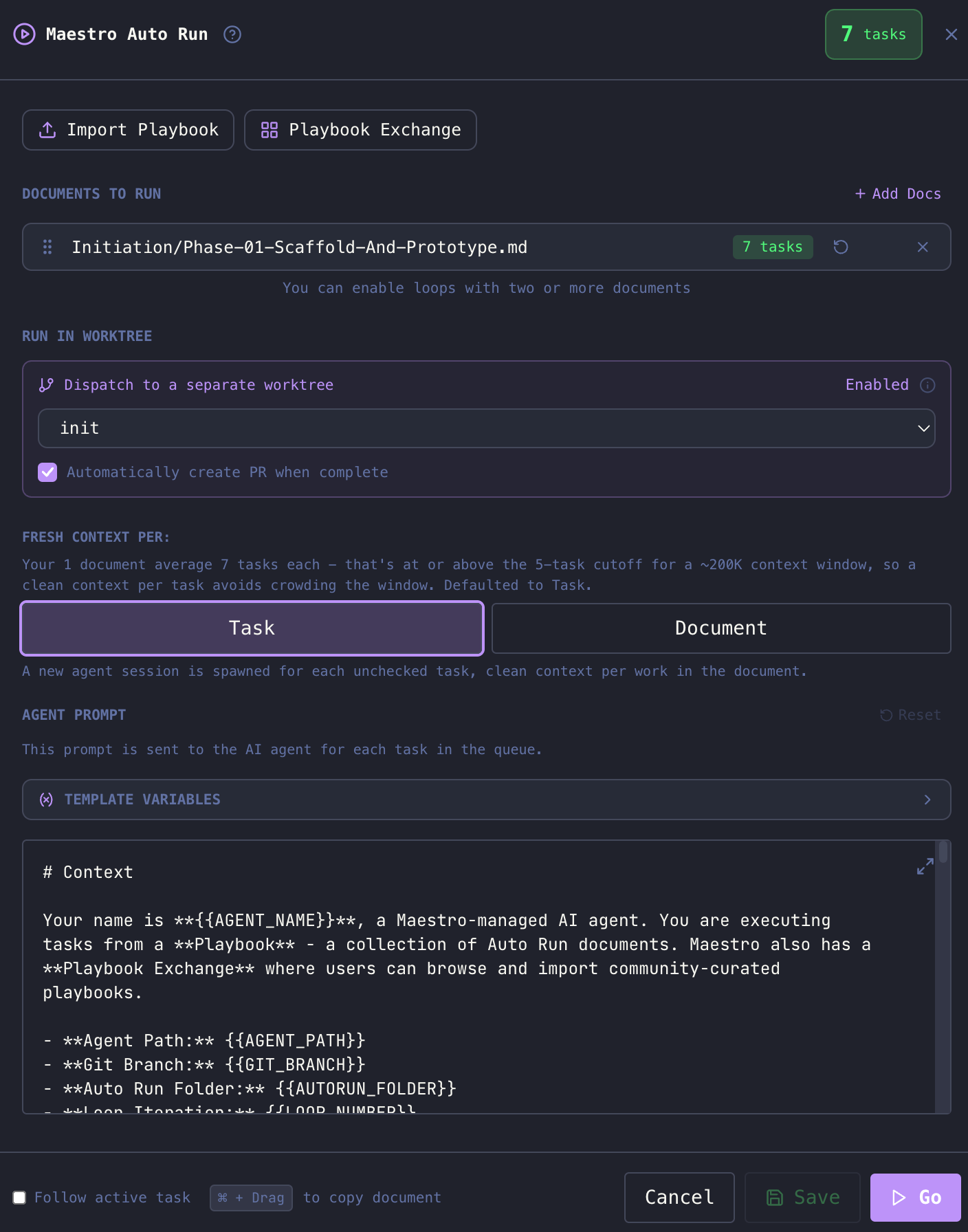
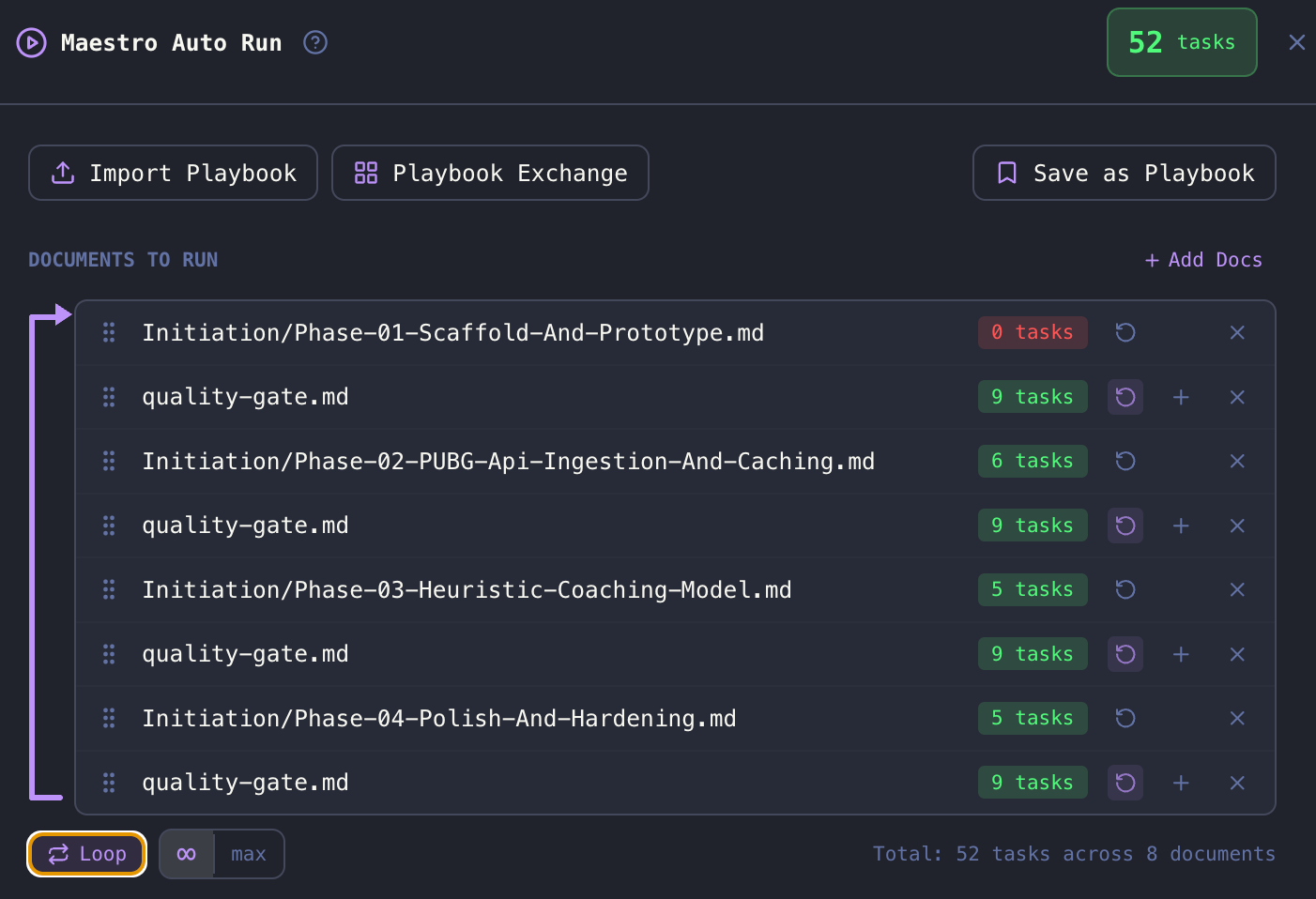
Now, if you're sharp, you'll already be telling yourself "Sure, but what about quality?!", and you'd be right! This is why Maestro has the concept of resettable documents (auto run files that will uncheck themselves after each run). This is where you can put all of your quality gates. For example, we can decide that we want the Gradle build to pass, at least 85% test coverage, an up to date README file, Docker compose up coming up healthy, minimal set of added dependency, et cetera.
And this is where we can start fulfilling the promise of Maestro: With a set of quality gates created as an Auto Run file, and a Ralph Wiggum loop we can let AI go BRRRRRR and know we should get to something that is at least conforming to our specs. What will basically happen is that Maestro will loop over our set of specs until it has actually fulfilled the promises of the quality gates we have set. Here is what that looks like in the UI.
Note: For the AI buffs here, the latest version of Maestro supports "Goal mode", which will essentially do the same thing but leave more freedom to the machine.
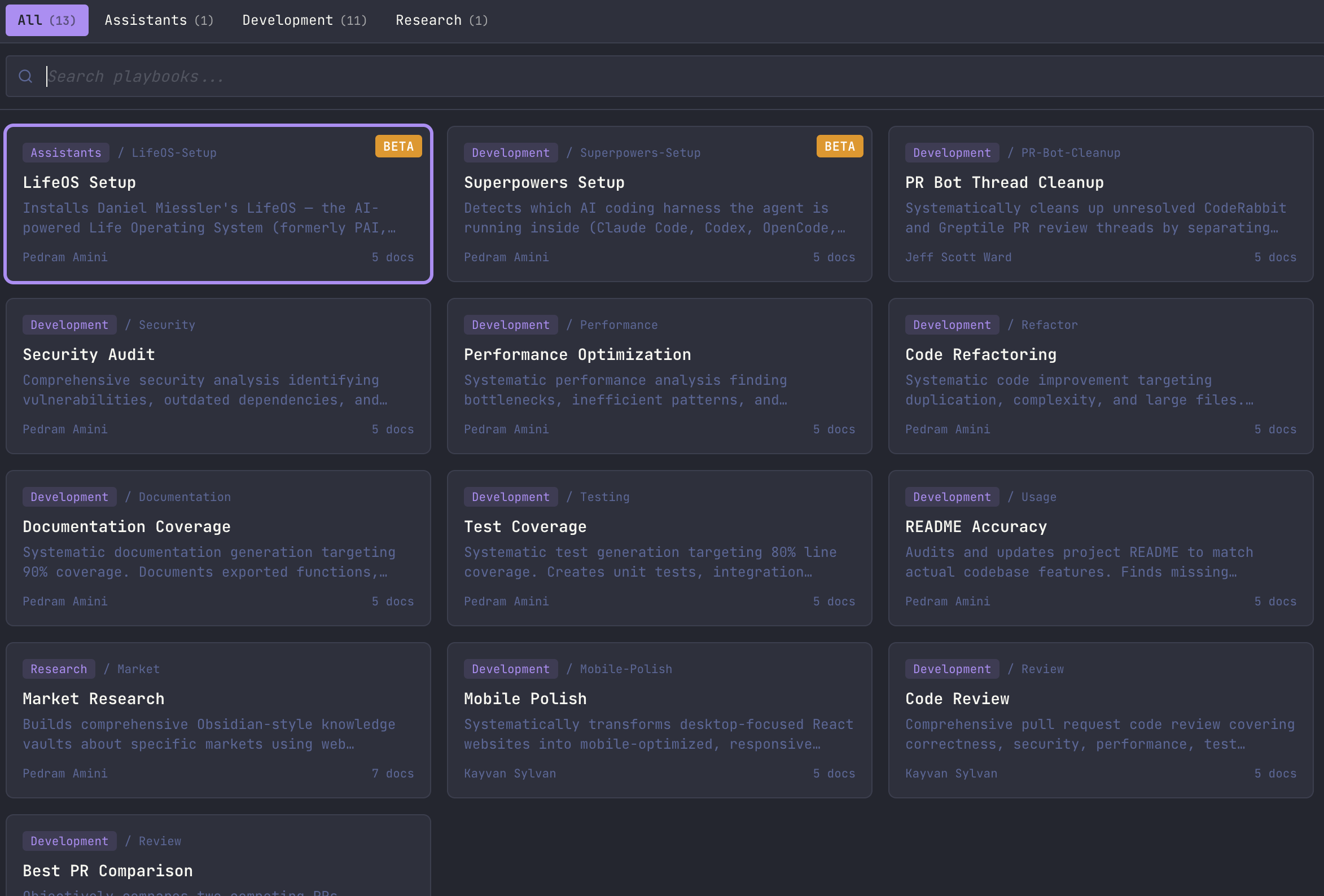
I really like this approach, because it's powerful and reusable. Think about it; if most of your projects are running on the same stack, you can actually use the same quality gates for all of them. Maestro even offers a playbook marketplace, where you can get auto run playbooks out of the box. Those capabilities go from PR Cleanup, to README accuracy and even Market Research.
Agentic Pull Requests (PR) reviews
As I mentioned, I'm mostly using Maestro for my side projects. And for some projects, I've actually been completely been hands-off the code. Still, I want something to review all that generated text. For this, I'm using Kilo Code's Code Reviewer, which plugs itself into GitHub and automatically reviews the PRs created by Maestro. If there are any findings, Maestro will pick them up and fix them. This allows me to avoid using the same model and harness twice, while staying mostly hands-off. A Kilo Code review looks like this.
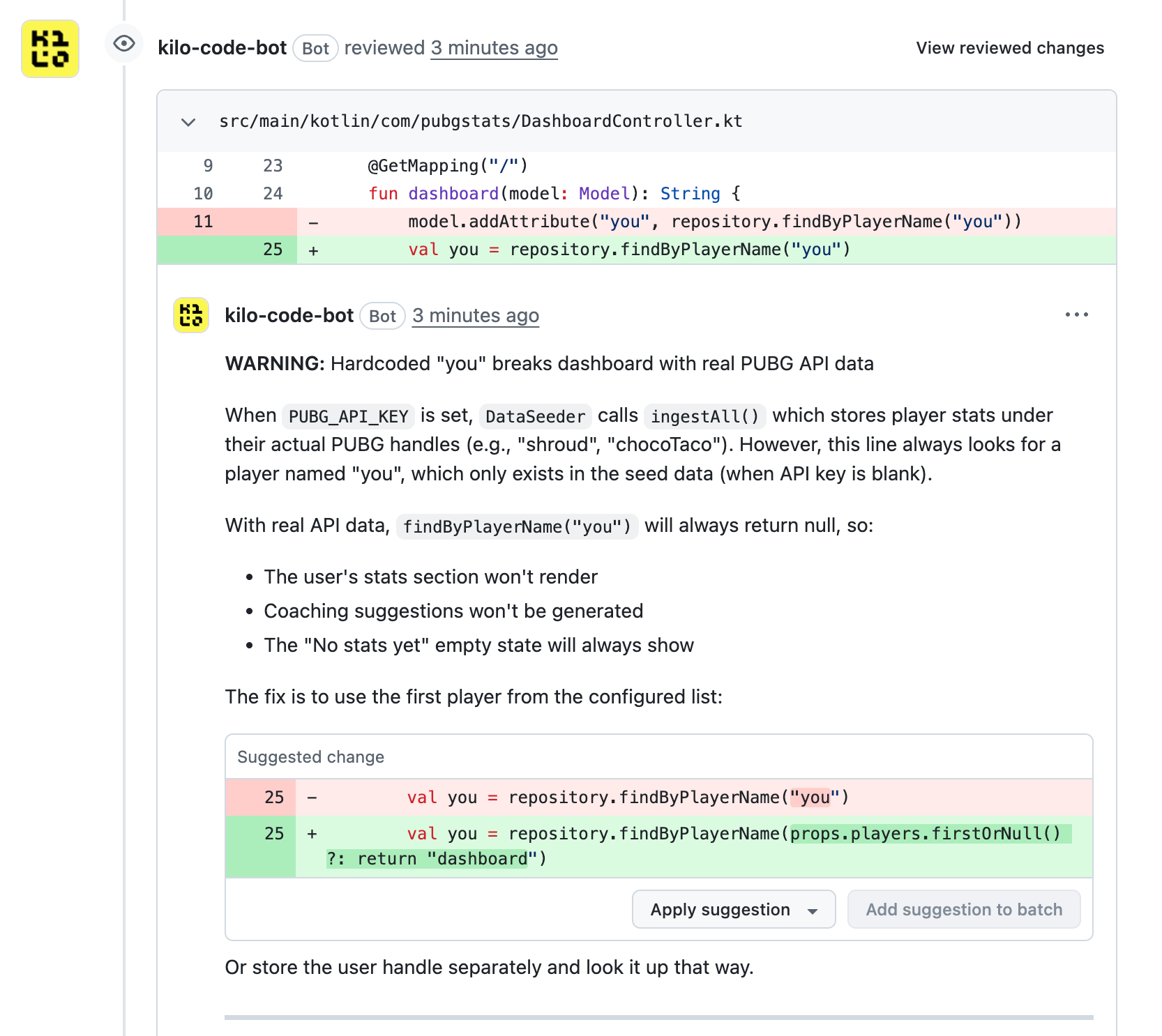
Obviously, you should still use your typical GitHub actions / code coverage setup to verify that the project matches your expected quality gates. If you're curious, here is what Maestro built using our auto run configuration, with the feedback of Kilo.
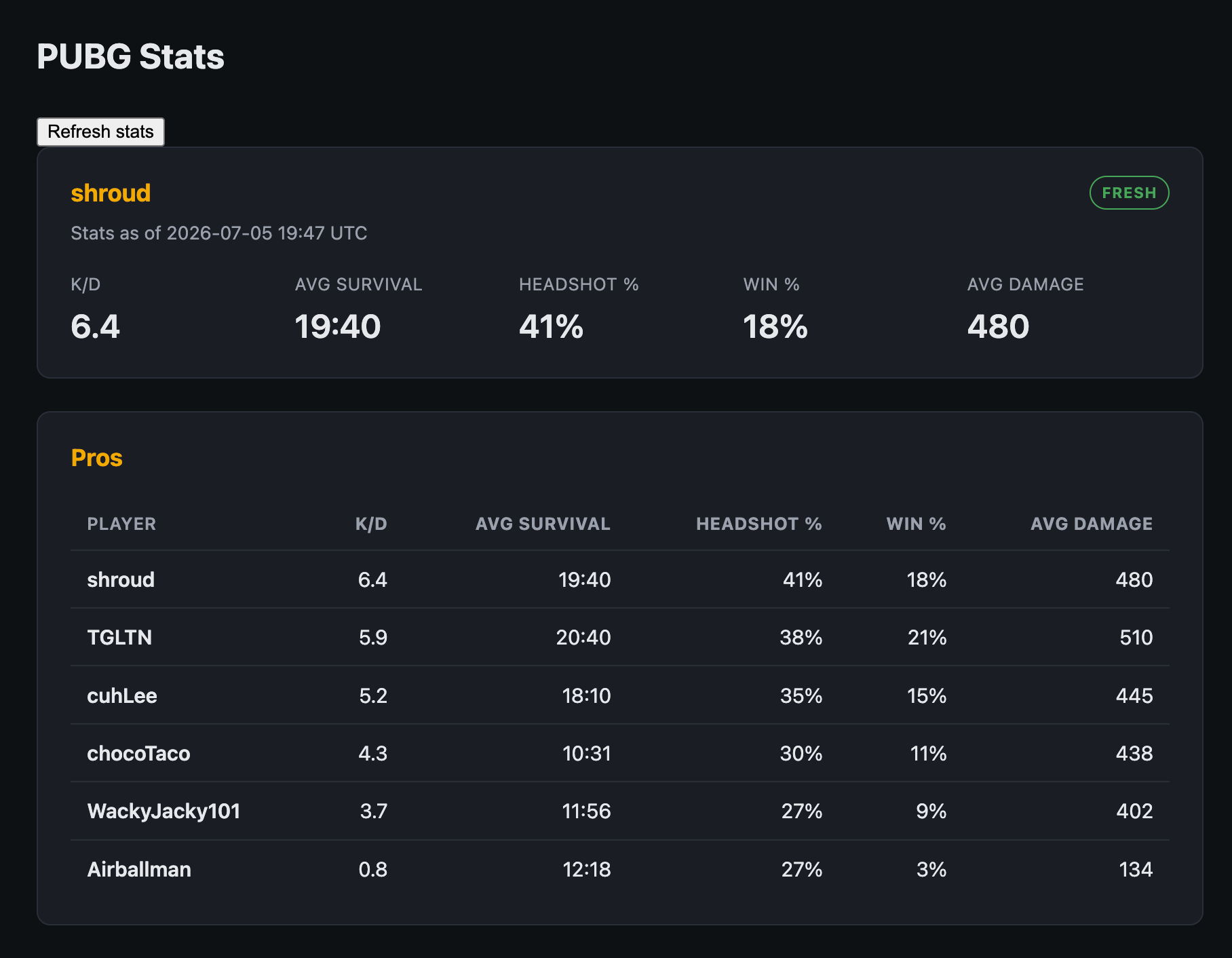
Pretty good if you ask me! Some data, a list of the best players at the moment, and space to include your own account. And all the orchestration works. But now, the real work starts.
From developer, to feature manager
From this point on, the story repeats itself. Describe a feature, ask Maestro to create an auto-run playbook for it, let it run, validate results, et cetera. And because each of those features gets implemented in separate Git work trees, they can all be developed in parallel. In the couple of hours I have every evening, I can decide to work on 4 or 5 features at the same time, validate the implementation myself and deploy if it matches my expectations. Using this workflow, we are actually far from "one shot" and "vibe coding". We're still working up in small increments towards a complete implementation, but in parallel. What used to take a month to build, can now be done in a weekend. Together with a good GitHub action setup for automated feature previews and live deployments, it is actually quite simple to spend a whole evening building without ever having to leave Maestro.
Of course, there are still many things to consider. Security, maintainability, scalability, or simply whether your implementation actually does what you wanted to! In enterprise environments, those have to be taken very seriously. But at home, I can now mix and match between "I want to learn something and will build it myself" and "I want to be able to use this, fast" and then choose to generate it that way.
Going further
What I've discussed here is orchestration at a local level (meaning that I hold the reins of the machine at all times). This is the level at which I personally operate at the moment for most of my projects. The main reason is the size of my wallet, and the fact that I still like to feel like I'm keeping some control over what is being implemented. The next step would be to think even higher level, and have Maestro work at project level rather than feature level. Using the newer Maestro Cue feature, this becomes possible. With Cue you can trigger refactorings, or deployments based on certain triggers. For example, trigger a swarm of agents who will perform a task or some research and then synthetise their results. Or even more complex: to build a self-improving agent (a.k.a. a Karpathy loop).
A word of conclusion
There is much more to Maestro that I haven't had time to talk about here. Online access, Usage Dashboard and Symphony that lets you donate your AI tokens to Open-Source projects. Hopefully though, by now I peaked your interest enough to let you discover those by yourself. And if you're interested, you can further read other ways GenAI has changed the way I write code so far here. In any case, all of the code generated in this article is available here.
Oh, and in case you didn't know yet, Maestro is built itself using Maestro 😊. See you next time!